Today I've decided to make a quick little tutorial on compression and resizing of pictures using the Office Picture Manager. This hardware comes packaged in with Windows computers, so those running a windows OS will be able to benefit from this tutorial.
How to Compress in 5 Easy Steps
To find where to upload your avatar, go to Edit Profile. It should look something like this
So that's where you upload.. but look at those restrictions. What do they mean? Maximum file size and size?
Fortunately, compression isn't too much of a problem, and you don't need to install any more software to do it.
1
First, you want to go open your picture. Double clicking it should be fine. Remember, this is on your computer.
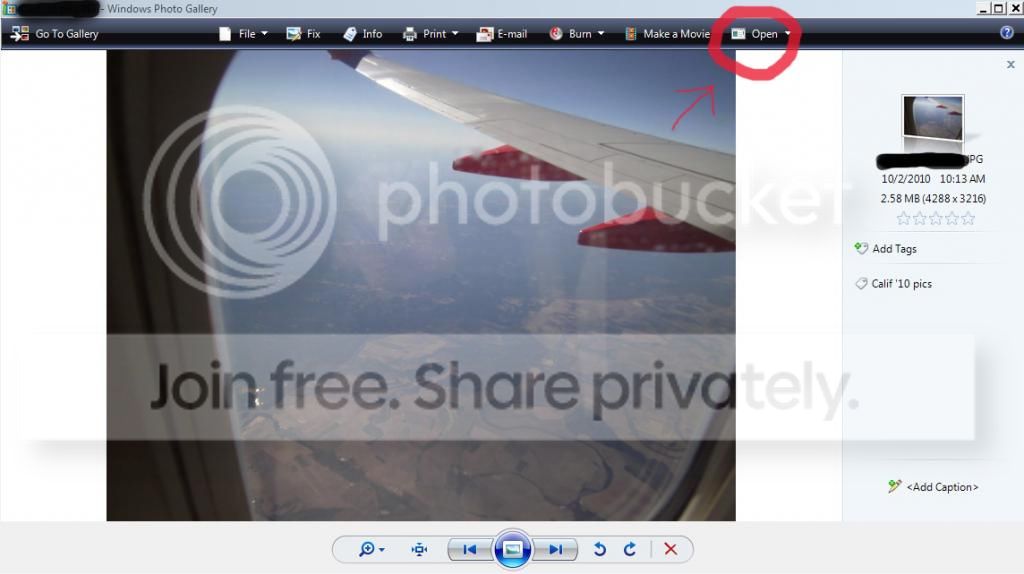
It should pull up a box like this
Now go to the Open panel (I circled it). In the pulldown menu should be a program called Microsoft Office Picture Manager. Click on that and it will pull your picture up in that program.
2
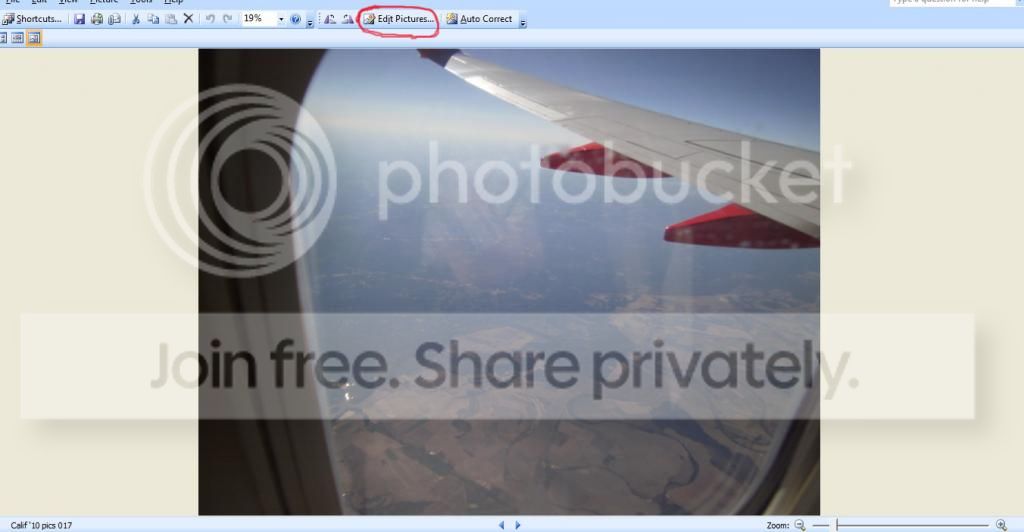
Now it's open. It should be looking like this
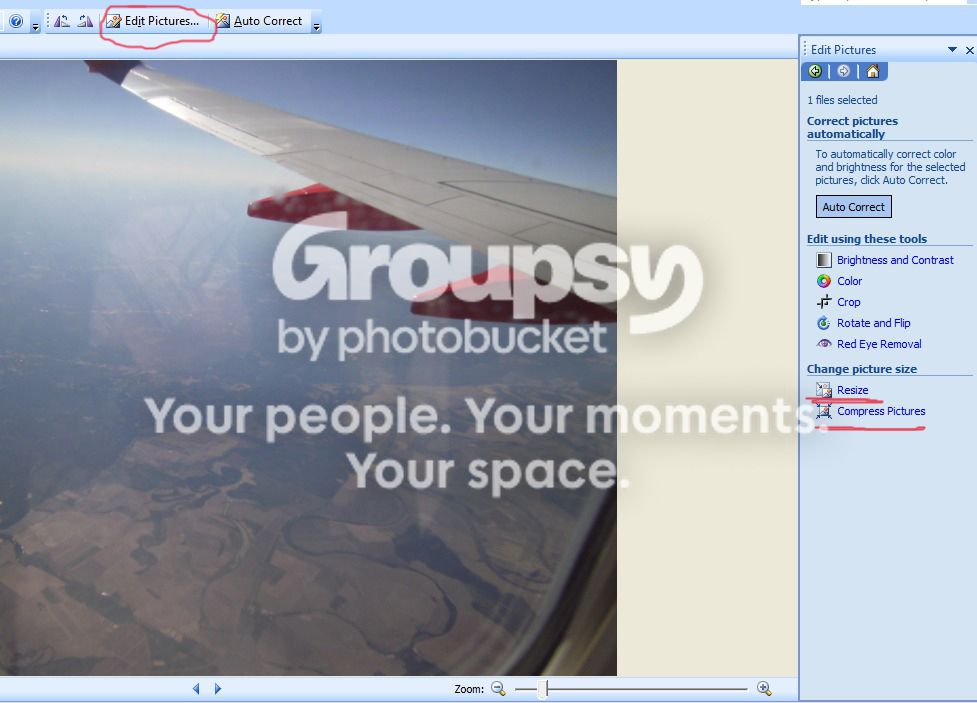
Click on Edit Pictures. A box will pop up on the side
The two tools you'll need are Resize and Compress. I like to compress first but that's just a personal preference, as it makes the image come out with slightly better resolution.
3 (You may be able to skip this one)
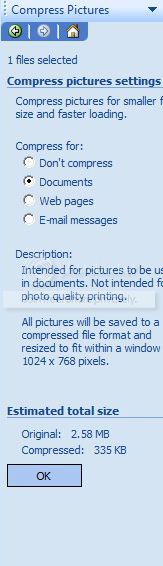
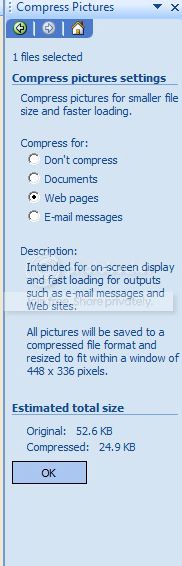
If your image file size is small enough (1mB original or less) then you can go straight to Web Pages (the next step). If it's bigger, compress for documents and save the picture with a new name. Open that up.
4
Compress for web pages. At this point, it will have the correct file size (Under 48.83 kB). If it doesn't, do step 3 again and then do step 4. If it's a tiny bit over, step 5 might be able to fix it without having to compress again, but no guarantee.
5
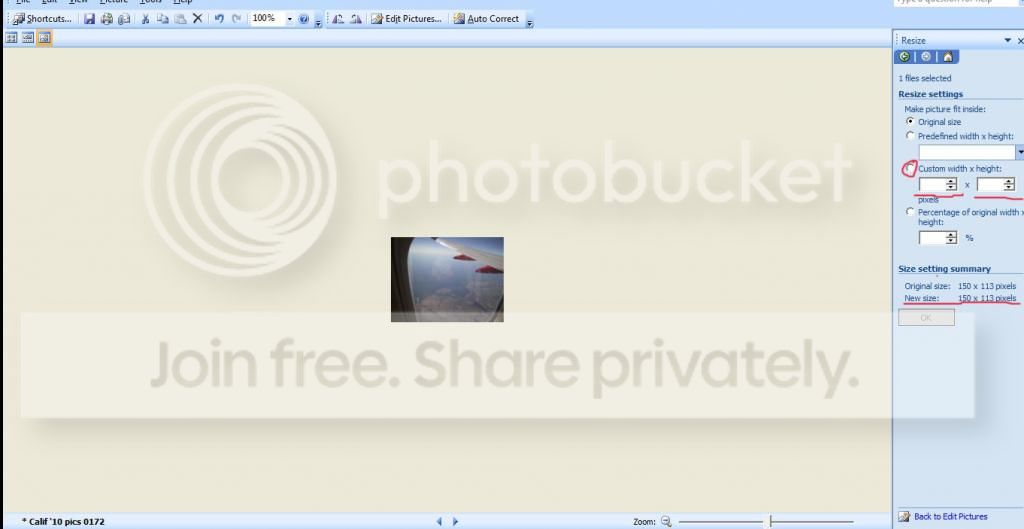
The last step is to resize. This step isn't particularly hard.
Check custom size and type in 150 by 150 and click okay. It will NOT turn out as perfect 150 by 150 unless it's a square image, but that's fine. Typing in 150 by both of them guarantees that it will stay the same shape but be within the bounds of the site limits
And that's pretty much all there is to compressing on your computer to post an avatar. Good luck, and happy compressing!
-J
I wanna be like RAZ!!! [ZÅ]Paradox
Need a shotgun to protect you while you snipe? Call 1-800-SHOTGUN today!
Need a nuke? Call 1-800-NUKE-ALL
Take advantage of this limited offer now!
Offer expires in 3..2..1...
fyi, if you have a really awsome ava you want to use, but are having some issues with any of the above, contact me. the limits are not set in stone, they can be expanded on a case by case basis.
aswell, one can technically upload avatars up to 5mb (this limit is what it has been set for some Super Admins on the site for dev purposes (its for all personal website uploads, like forum attachments, images, icons, smileys, etc...) but cant be accesed via the edit profile page.).
@Para
i like how your tut flows and informs the mates, feel free to make some more, ill make a page linked from the website faq to assist members.





 good job pawa!